The Climatronic in the Audi TT 8N can do more than just regulate the temperature. The Climatronic service menu displays live vehicle data, such as driving speed, engine temperature and outside temperature. This is useful for quickly checking something without a laptop or OBD tool.
On this page, we explain step by step how to activate the hidden menu and which values are of particular interest to TT 8N drivers.
How to open the hidden Climatronic menu?
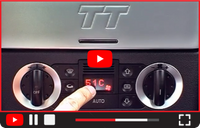
To open the secret menu, follow the steps below:
- Switch on the ignition (you don’t have to start the engine, but you can).
- Press the following buttons at the same time:
• Air recirculation
• Air distribution to top (airflow to the windscreen / upper vents) - The Climatronic now switches to the diagnostic menu.
- Use the temperature control (+/–) to scroll through the different parameters.
- Have you found the parameter you want?
• Press the air recirculation button again to confirm and display it. - Repeat steps 4 and 5 to read another value
- Finished reading values?
• Press the AUTO button to return to normal mode.
 | Audi TT 8N Climatronic codes.pdf (273.91KB) |
Or watch the video with the how-to and the PDF with an overview of the values to be read.
Useful values to read
There are dozens of channels available (see PDF), but in daily use a few are especially useful. Below you’ll find a selection of the most interesting parameters for the Audi TT 8N:
Channel | Description | Unit | Practical use |
17 C | Vehicle speed | km/h | Compare cluster speed with GPS |
20 C | System voltage | Volt | Test of the alternator; value between 13.5 - 14 Volt when engine runs |
27 C | Engine speed (rpm) | rpm | Accurate engine speed reading |
49 C | Coolant temperature | °C | Check cooling system operation |
51 C | Engine temperature | °C | Monitor engine operating temperature |
55 C | Outside temperature | °C | Reference vs. outside temp shown in the car |
Test werking dynamo; waarde tussen 13,5 - 14 Volt bij draaiende motor
Why is this useful?
A few situations where the Climatronic menu really comes in handy:
- Check your speedometer
Compare channel 17 (vehicle speed) with a GPS app. This shows you how much your speedometer is over-reading. - Track down cooling issues
Channels 49 and 51 show whether the engine is reaching the correct temperature and whether the cooling fans are switching on at the right time. - Read engine speed precisely
Channel 27 gives you the exact rpm. Useful when checking idle speed or just out of curiosity. - Get to know your TT 8N better
By occasionally checking the engine temperature, you can see when the engine has reached the correct temperature.
Even if the instrument panel suffers from the typical TT 8N problem of the gauges showing incorrect values, such as an incorrect engine temperature, the Climatronic can be used to check whether the gauges are malfunctioning or whether there may be a problem with the cooling system.
Tips & warnings
- Don’t fiddle while driving
Scrolling through the menu can be distracting. Choose your parameters while stationary whenever possible. - Don’t change unknown settings
The Climatronic menu is meant for reading values, not for experimenting with adjustments. Avoid unknown channels.
Use it as an extra tool - See the Climatronic as an extra source of information. For real faults or error codes, a proper diagnosis with VCDS or a specialist remains the best option.
Please note |
© Header photo: Arno Lingerak (Autovisie)